
@Admin, @Moderator, or your server’s Family roles) from being mentioned by unauthorized users.
Unlike the threshold-based Anti-Nuke system, Mainrole takes instant action — the moment a non-authorized user mentions a protected role, they are immediately banned from the server.
Features
- Instant Protection: No thresholds or limits. One mention of a family or admin role equals an instant ban.
- Multiple Protections: Protect up to 5 different roles at once.
- Owner-Only Config: Only the Server Owner or designated Extra Owners can manage these settings.
Getting Started
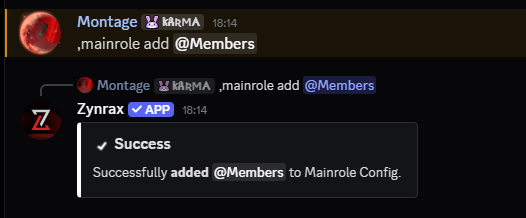
To begin protecting your roles, you can use themainrole add command.
Removing Roles
If you no longer wish to protect a specific role, you can remove it from the configuration.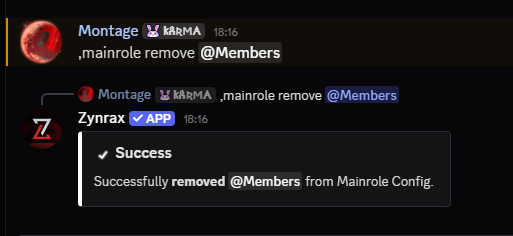
Once a role is added to the Mainrole configuration, Zynrax will actively monitor every message for mentions of that role.
Configuration Commands
Manage your protected role list with these simple commands.Viewing Protected Roles
See exactly which roles are currently under Zynrax’s instant-ban protection.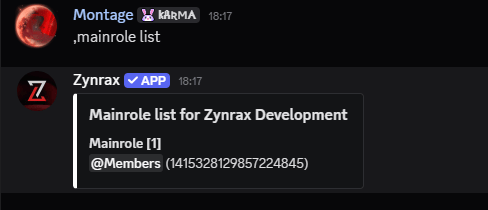
Disabling the Module
If you need to disable role protection entirely, you can reset the configuration.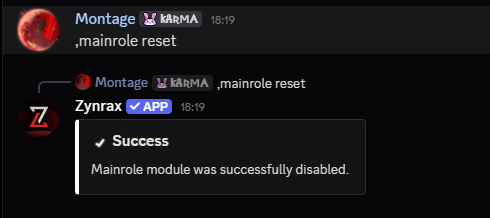
Whitelisting Users
If you want a specific user to be able to mention protected roles without being banned, you must add them to the security whitelist.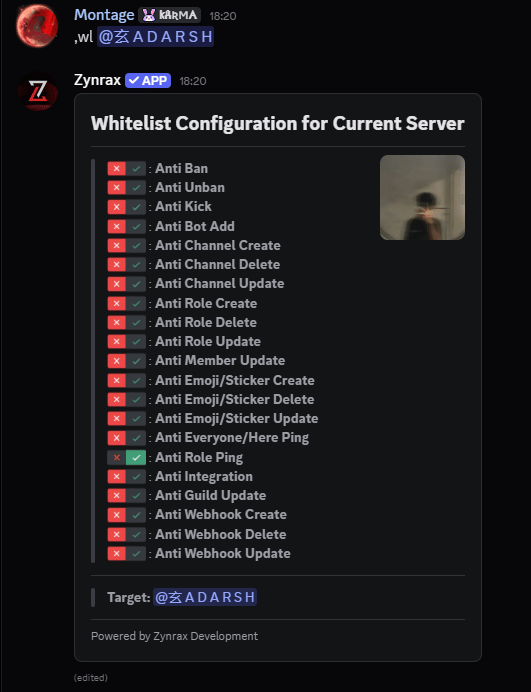
Authorized Users
To prevent accidental bans of your own team, the following users are automatically exempt from Mainrole protection:- Server Owner: Always allowed to mention any role.
- Extra Owners: Users who have been added to the
extraownerlist and have Administrator permissions. - Whitelisted Users: Users who are on the general security whitelist.