Why Use an AntiNuke System ?
Having a rock-solid AntiNuke system in place is absolutely essential for any serious Discord server. Moderators with elevated permissions can pose a hidden threat — and without proper protection, a single bad actor can bring your entire server crashing down in seconds. Zynrax’s AntiNuke system acts as the last line of defense, keeping your server safe from permission abuse, destructive actions, and internal betrayal — so your community stays intact no matter what.How Does Zynrax’s AntiNuke Work ?
Zynrax’s AntiNuke system works by enforcing strict action limits on every moderator within a set time frame. The moment anyone — trusted or not — exceeds those limits, Zynrax detects it instantly and jumps into action, swiftly punishing the offender before any real damage can be done. Fast, intelligent, and completely unbypassable — Zynrax makes sure no one ever gets the chance to abuse their power.Configuring the antinuke
Allowing users to configure the antinuke
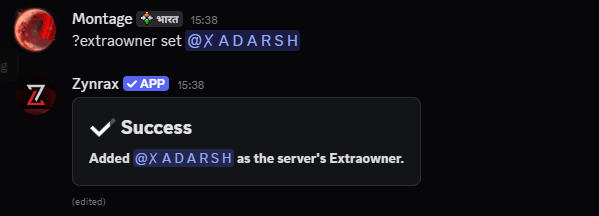
Initially, only the Server Owner can configure the antinuke. However, you can allow other users to configure the antinuke with theextraowner set command.
Exempting users from the antinuke
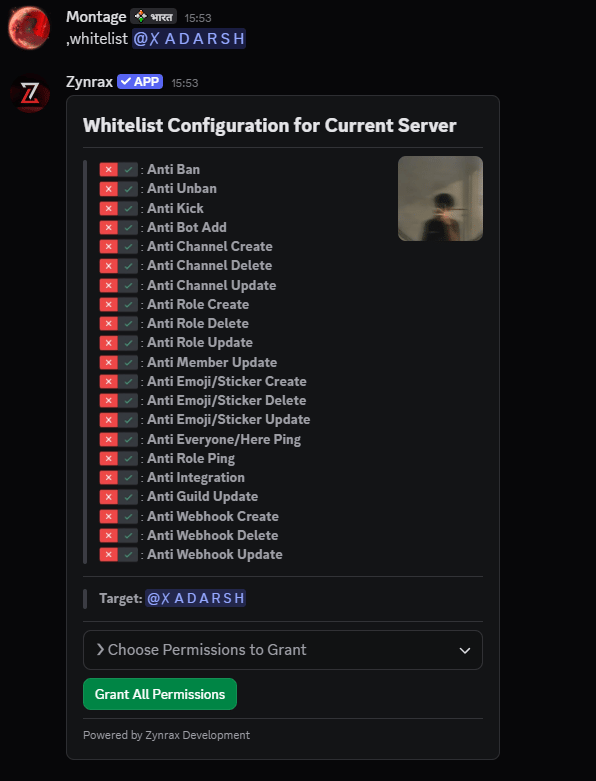
You can exempt users from the antinuke with thewhitelist add command.
Enabling an Anti-Nuke Module
Available Flags
The following flags can be used to define the Anti-Nuke module.Threshold
Threshold
Set a strict daily limit on the number of actions a moderator can perform. Once that limit is hit within the day, Zynrax instantly steps in and takes action — no second chances.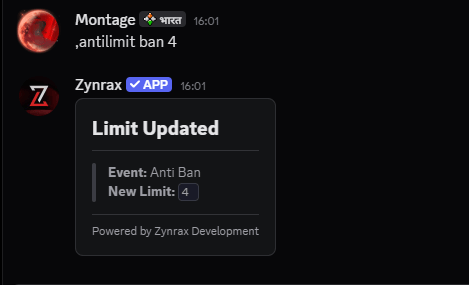
It’s recommended to keep the threshold between
5 and 10 to stay safe.Shortcut Variables
Use these shorthands in the(event) field for faster configuration.Punishment
Punishment
Define the consequence for anyone who exceeds the threshold — from stripping roles to an instant ban. Zynrax handles it swiftly and decisively.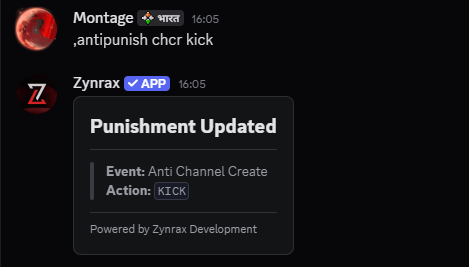
Punishment Types
Specify how you’d like Zynrax to handle violators.Command Detection
Command Detection
Zynrax’s intelligent command detection ensures total security. Before any command is executed, our system performs a comprehensive check on the user’s role hierarchy and required permissions, neutralizing any unauthorized activity before it can even begin.
Available Modules
Anti Vanity URL
Anti Vanity URL
Monitors and punishes unauthorized changes to your server’s custom vanity URL.
Anti Bot-Add
Anti Bot-Add
Prevents unauthorized or malicious bots from being invited to your server.
Anti Ban & Unban
Anti Ban & Unban
Monitors all ban and unban actions to ensure no one is masspurging your community or releasing known bad actors.
- Anti Ban: Detects and blocks unauthorized or excessive banning.
- Anti Unban: Stops unauthorized unbanning of restricted accounts.
Anti Kick & Prune
Anti Kick & Prune
Protects your server population from unauthorized mass-removals.
- Anti Kick: Blocks unauthorized or mass-kicking of members.
- Anti Prune: Stops unauthorized member pruning attempts.
Channel Protection
Channel Protection
Shields your server structure by preventing unauthorized channel wipes or layout changes.
- Anti Channel Create: Prevents unauthorized new channels.
- Anti Channel Delete: Blocks unauthorized channel deletions.
- Anti Channel Update: Stops unauthorized changes to names, perms, or topics.
Role Protection
Role Protection
Protects your role hierarchy and critical server permissions from tampering.
- Anti Role Create: Stops unauthorized creation of new roles.
- Anti Role Delete: Prevents critical role deletions.
- Anti Role Update: Blocks unauthorized changes to role permissions or colors.
Member & Server Update
Member & Server Update
Protects both individual member profiles and core server settings.
- Anti Member Update: Monitors and stops unauthorized nickname or role changes.
- Anti Server Update: Prevents unauthorized changes to server names, icons, and regions.
Emoji & Sticker Protection
Emoji & Sticker Protection
Protects your server’s visual identity and expression tools.
- Anti Emoji Create/Delete/Update: Full protection for custom server emojis.
- Anti Sticker Protection: Shields custom stickers from unauthorized removal.
Webhook Protection
Webhook Protection
Blocks rogue webhooks that could be used for spamming or data leaks.
- Anti Webhook Create: Blocks unauthorized new webhooks.
- Anti Webhook Delete: Prevents authorized webhooks from being deleted.
- Anti Webhook Update: Blocks changes to existing webhook configurations.
Mass-Ping Protection
Mass-Ping Protection
Detects and blocks unauthorized @everyone or @here pings to prevent server disruption.
Integration & Invite Protection
Integration & Invite Protection
Monitors apps and external links to ensure no backdoors are created.
- Anti Integration: Stops unauthorized app integrations.
- Anti Invite-Role: Prevents role assignment via invite link metadata.
- Anti Link-Role: Blocks malicious linking of external roles.
Disabling an antinuke module
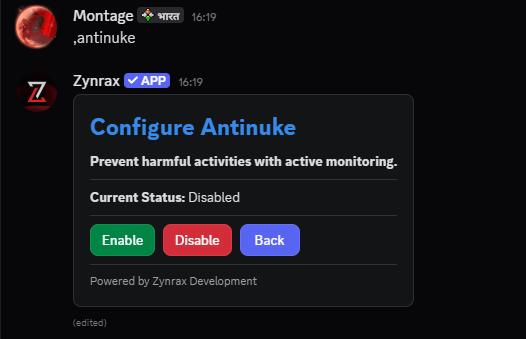
You can disable an antinuke module with the same command you used to enable it, but with the status set todisable.
Viewing the antinuke configuration
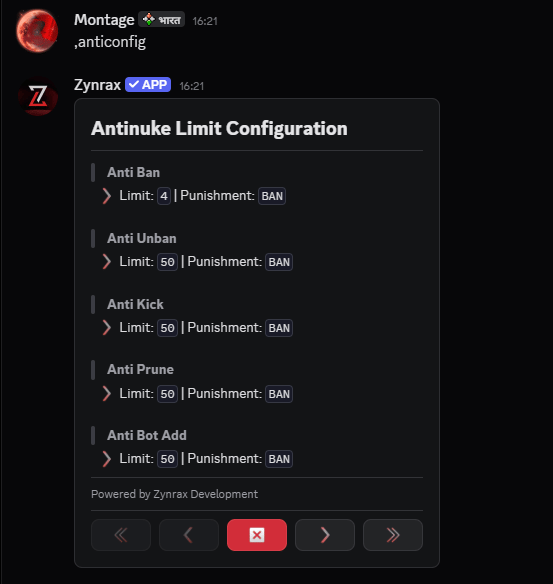
You can use the,anticonfig command to view the current antinuke configuration.
Viewing the Whitelist Users
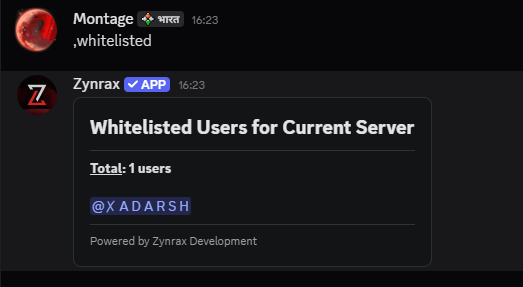
You can use thewhitelist show command to view the whitelisted users.
Unwhitelisting users from the antinuke
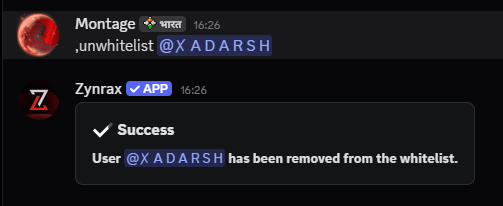
You can remove users from the antinuke whitelist with thewhitelist remove command.